SendOff — SMS Program Overview & Opt-In Evidence
Public landing for carrier review. Shows program details, disclosures, and consent evidence.
Program Summary
- Brand: SendOff
- Use case: Transactional travel reminders & logistics for existing clients
- Opt-in methods: Web opt-in form (optional checkbox with disclosures) or text keyword START
- Message frequency: Message frequency varies
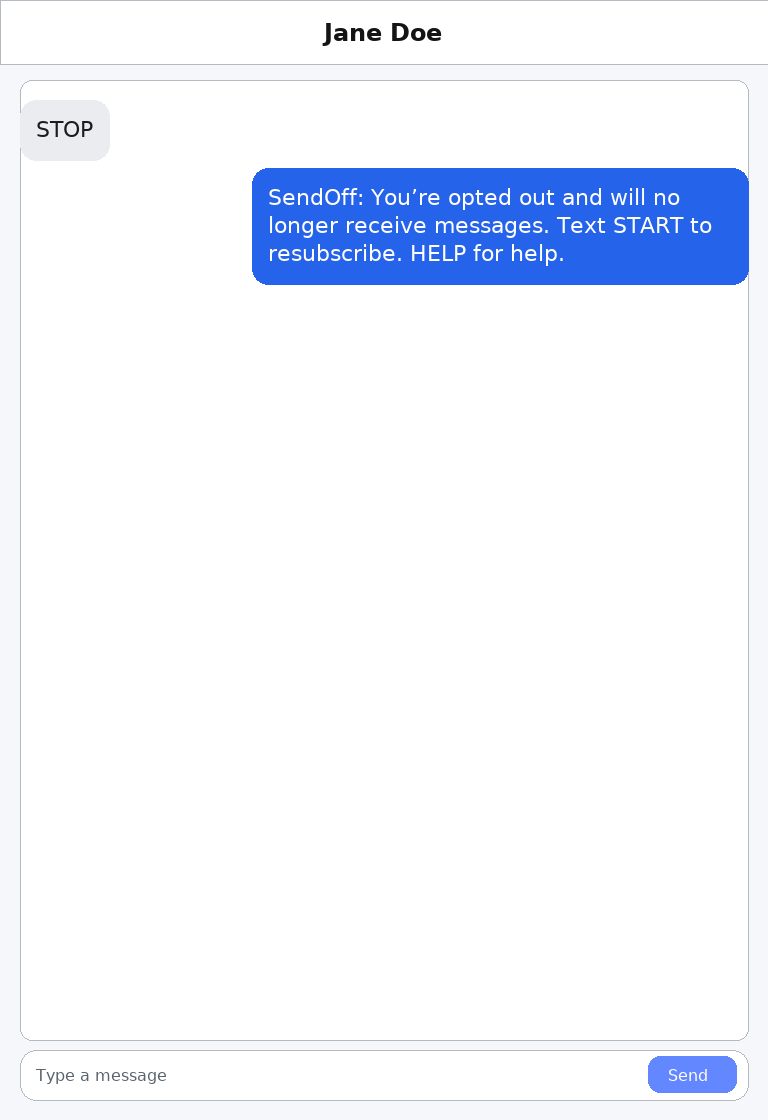
- Opt-out: Text STOP to opt out
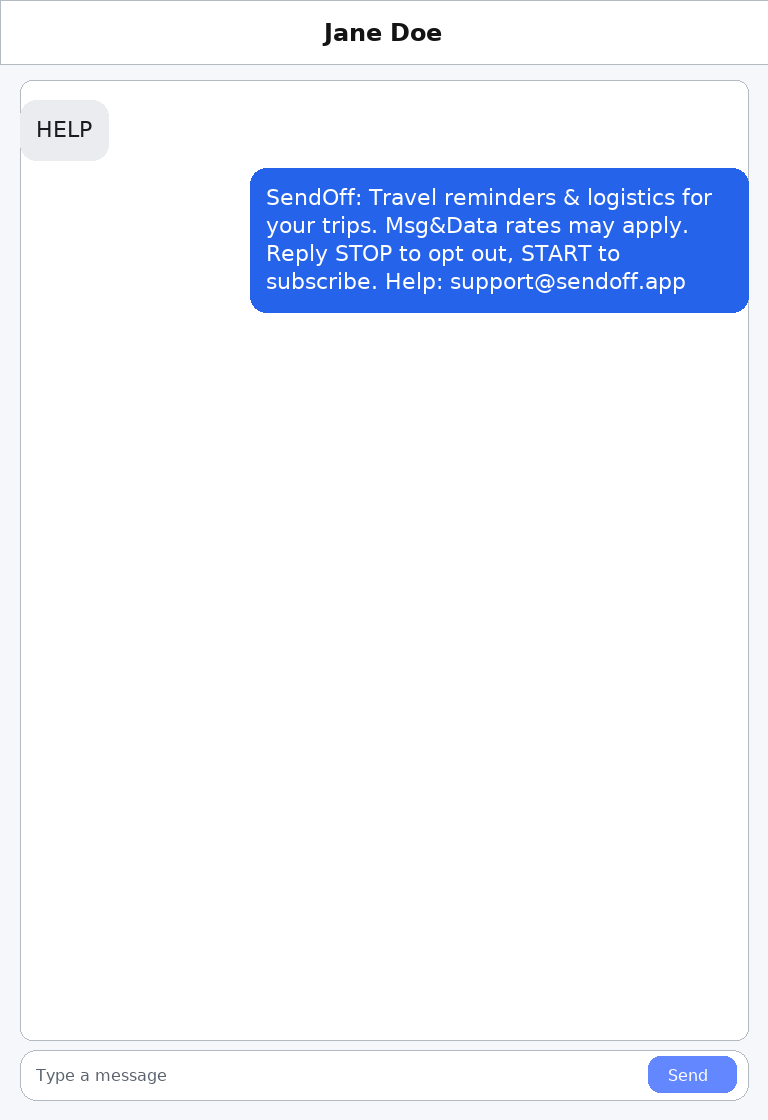
- Help: Text HELP for help
- Rates: Msg & data rates may apply
- Policies: Privacy Policy · SMS Terms
Opt-In Option A — Web Form (recommended)
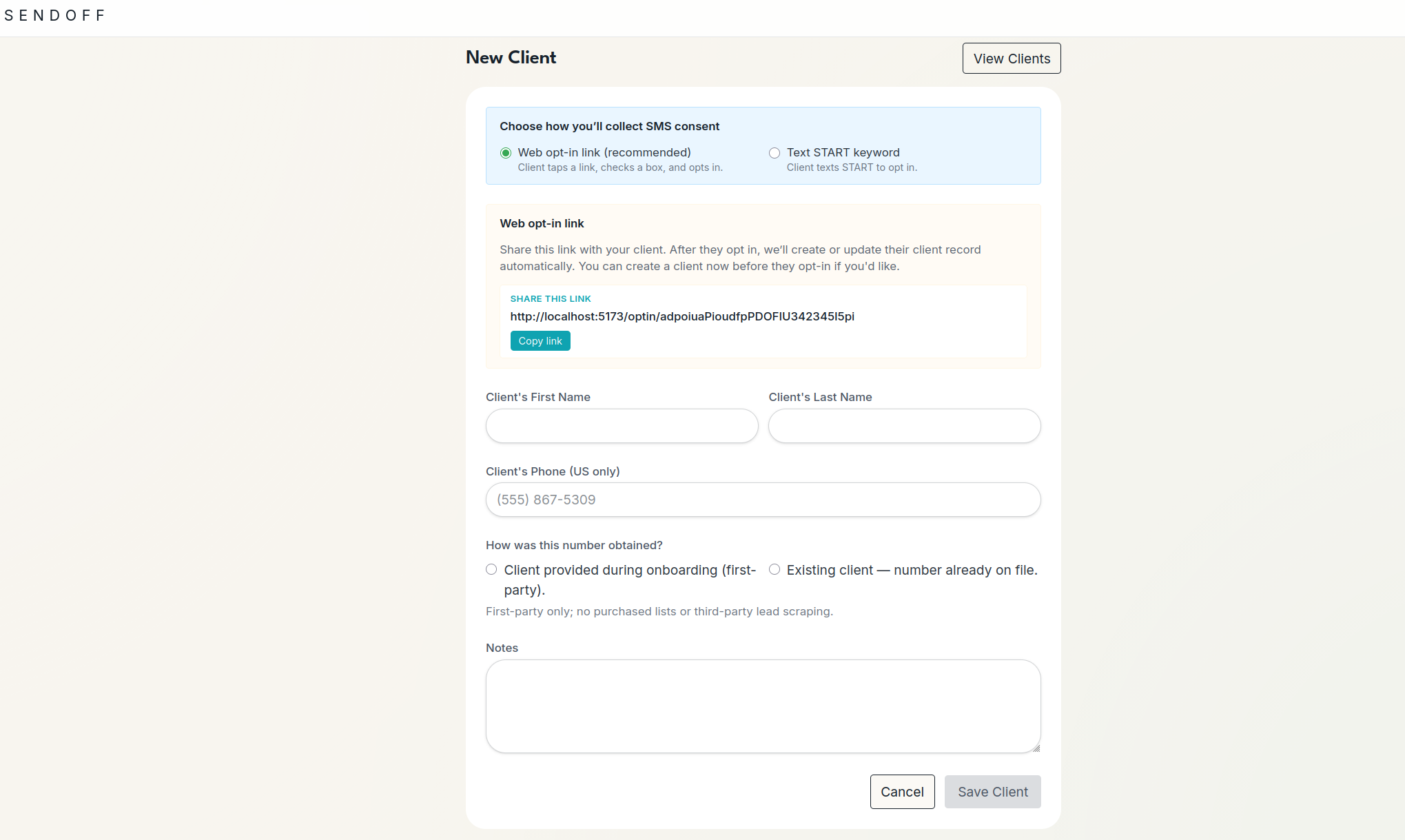
- The advisor selects “Web opt-in” when creating a client and shares the unique opt-in URL shown in the app (one URL per advisor).
- The client opens the link and completes a simple form: phone number and optional name. The SMS consent checkbox is optional and starts unchecked.
- The checkbox shows the required disclosures (message frequency varies, Msg & data rates may apply, STOP to opt out, HELP for help) with links to the SMS Terms and Privacy Policy. If the box is unchecked, we save the contact but do not text them until they later opt in.
- On submission, SendOff records consent (timestamp + IP), marks the client as opted in, and sends the confirmation text if auto-welcome is enabled.
Screenshot A: New Client screen with Web opt-in selected and the generated URL.
Screenshot B: Client-facing web opt-in form with an optional SMS consent checkbox (starts unchecked) and required disclosures.
Opt-In Option B — Text Keyword (START)
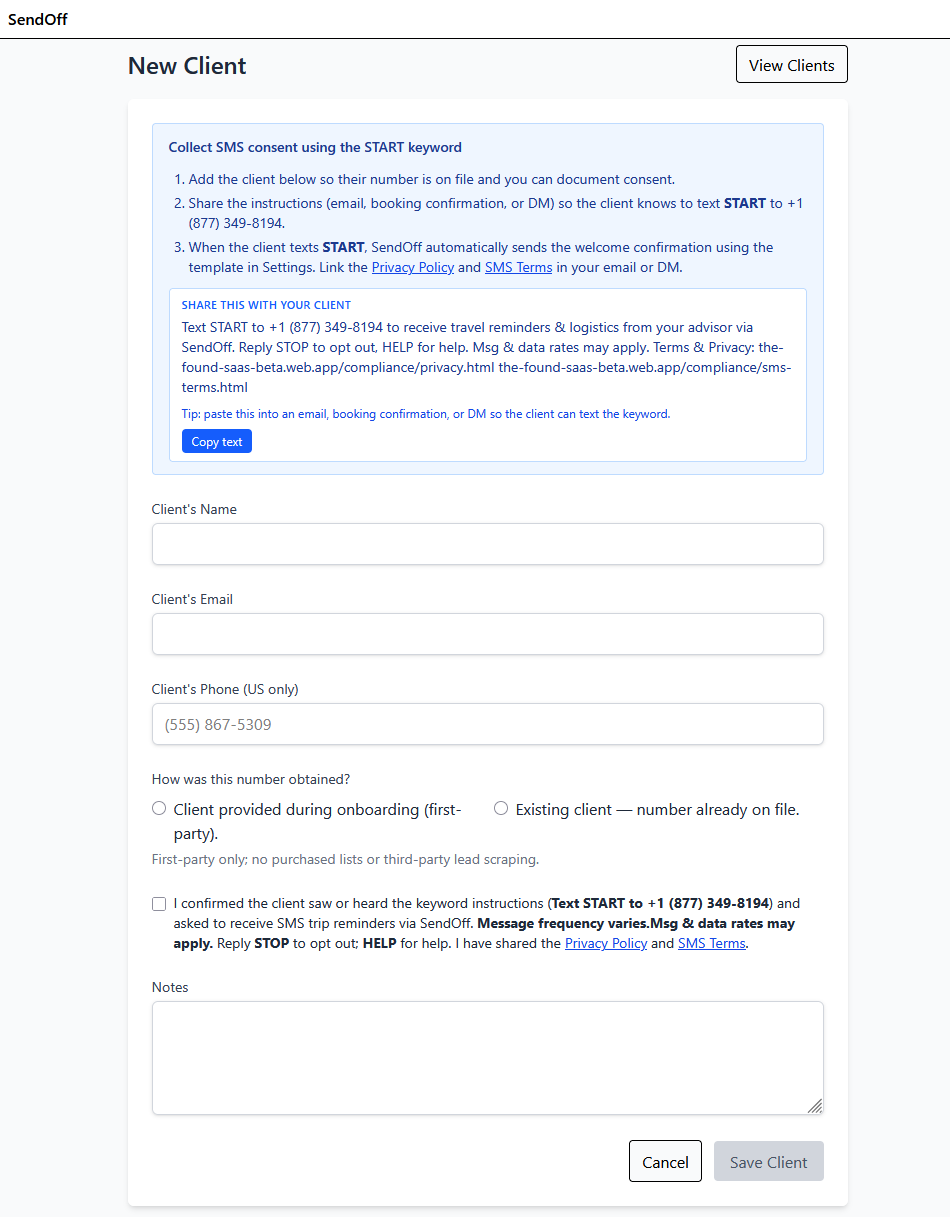
- The advisor first adds the client inside SendOff, documenting the number source and checking the attestation (blank by default).
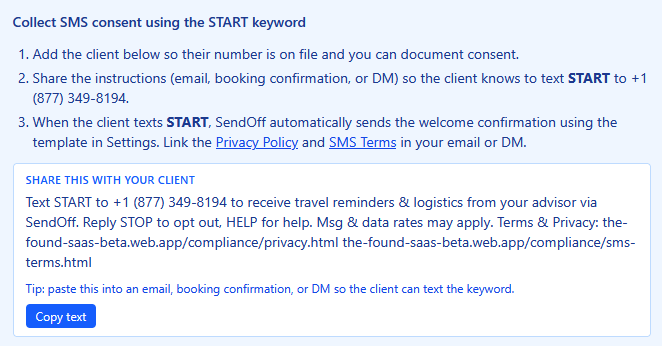
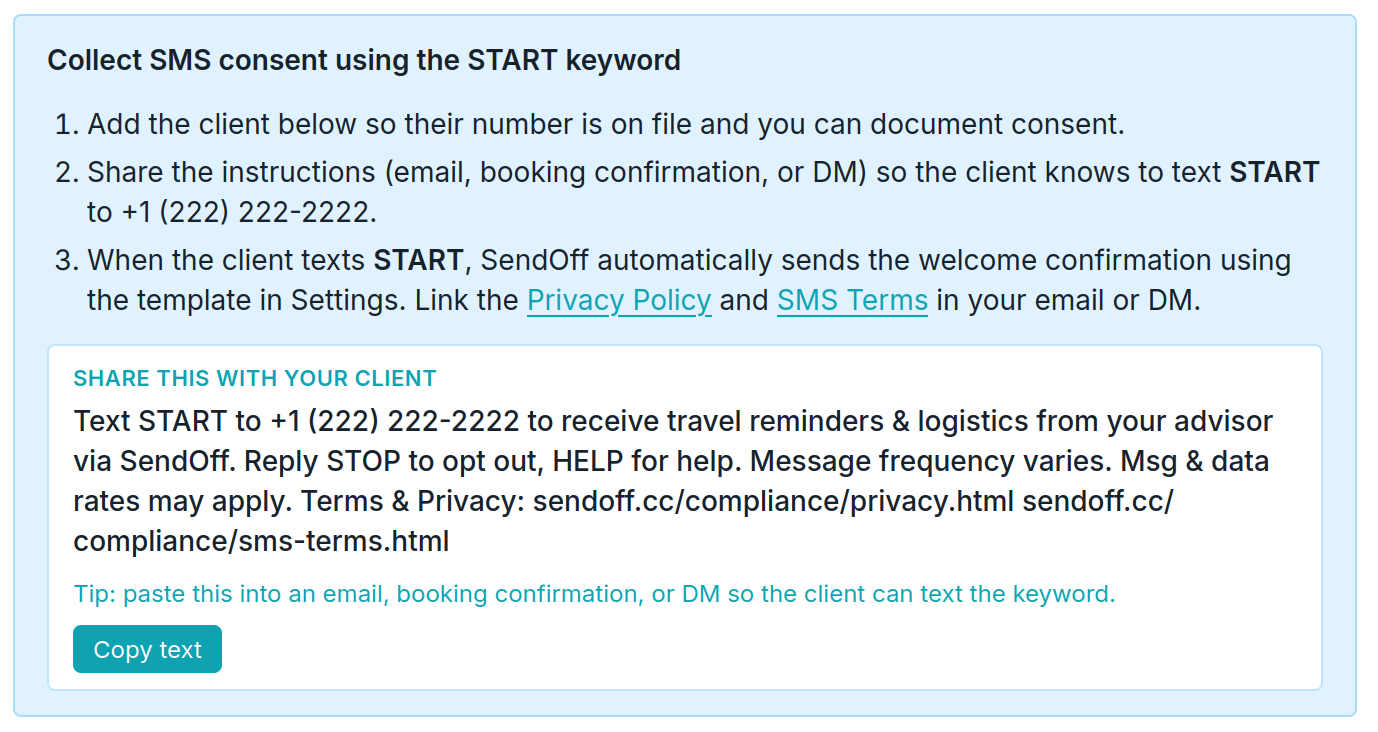
- The advisor emails or messages the toll-free keyword prompt: Text START to +1 (222) 222-2222*. The wording below matches the in-app copy button.
- Clients text START to the toll-free number from their handset. This inbound SMS is the primary opt-in event recorded by Twilio.
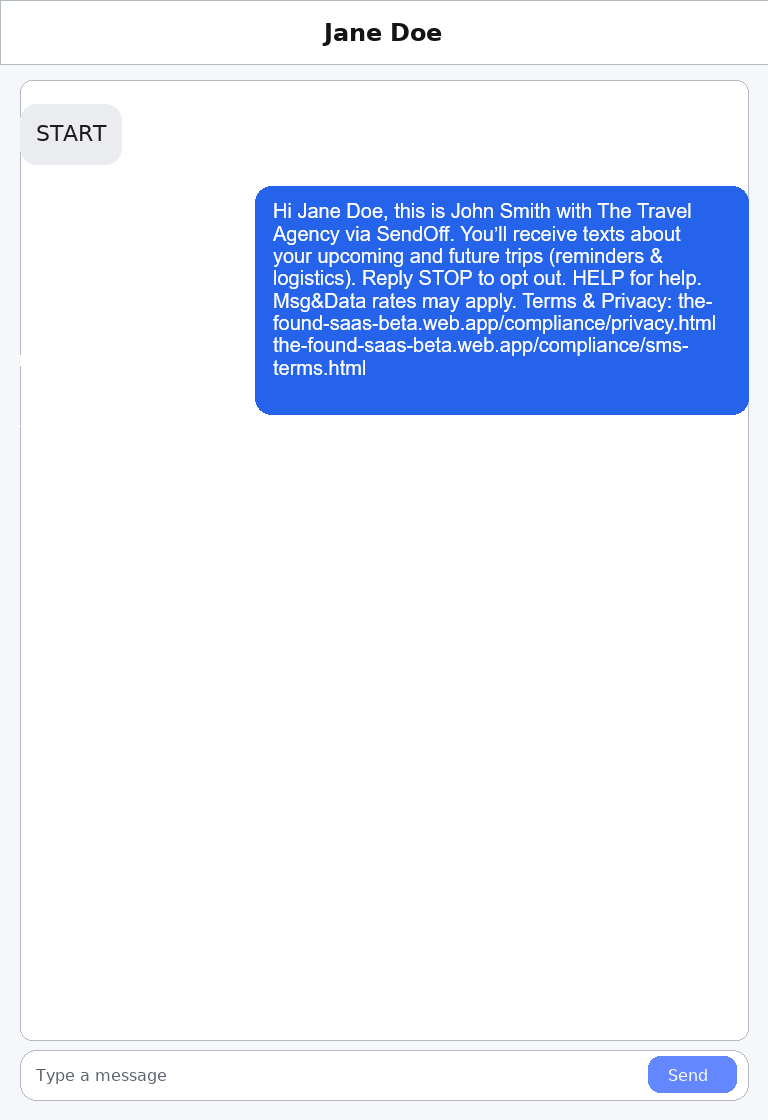
- Upon receipt of START, SendOff immediately sends the compliance welcome message (customizable in Settings) and logs the delivery. STOP/HELP logic is automated.
*The real phone number is provided to the user after registering in the application.
The keyword START appears in the advisor onboarding email template, the in-app copy block, and the follow-up SMS.
Keyword instructions shared digitally
How phone numbers are obtained (first-party)
Advisors collect client numbers directly during onboarding or from existing client relationships (friends, referrals, or existing travelers). No purchased lists. The Create Client screen requires the advisor to select the number source (blank by default) and check an attestation that the client requested SMS updates after receiving the START keyword instructions. Consent is captured by the inbound START message, and the auto welcome reply is recorded in the conversation log.
Invite / Opt-In Language (as sent by advisors after START)
"Hi Jane Doe, this is John Smith with The Travel Agency via SendOff. You’ll receive texts about your upcoming and future trips (reminders & logistics). Text PLACES for curated recommendations. Message frequency varies. Reply STOP to opt out. HELP for help. Msg & Data rates may apply. Terms & Privacy: https://sendoff.cc/compliance/terms.html · https://sendoff.cc/compliance/privacy.html"
Consent Evidence (Screenshots)
Representative examples—consumer-facing conversation.
1) Advisor invite with disclosures
2) HELP auto-reply
3) STOP confirmation
Contact
Email support@sendoff.cc.